Best TikTok Comment Generators in 2026: 11 Free Tools Tested
I made the same TikTok comment in 11 free generators and downloaded each free PNG. Which ones watermark it, which make a transparent reply sticker, and how big each file is.
Most TikTok comment generators are free, so "free" isn't what separates them. What separates them is what you get when you click download: a clean file or a watermarked one, a sticker or a whole screen, 360 pixels or 3,780. Decide what you need the comment for first:
- A reply sticker for the "replying to a comment" format: a transparent PNG of one bubble.
- A comment section for a meme, an ad or a slide: a thread of comments as one image.
- A phone screenshot: the video with the comments open on top.
- Motion: a short clip of the comment appearing.
The short version
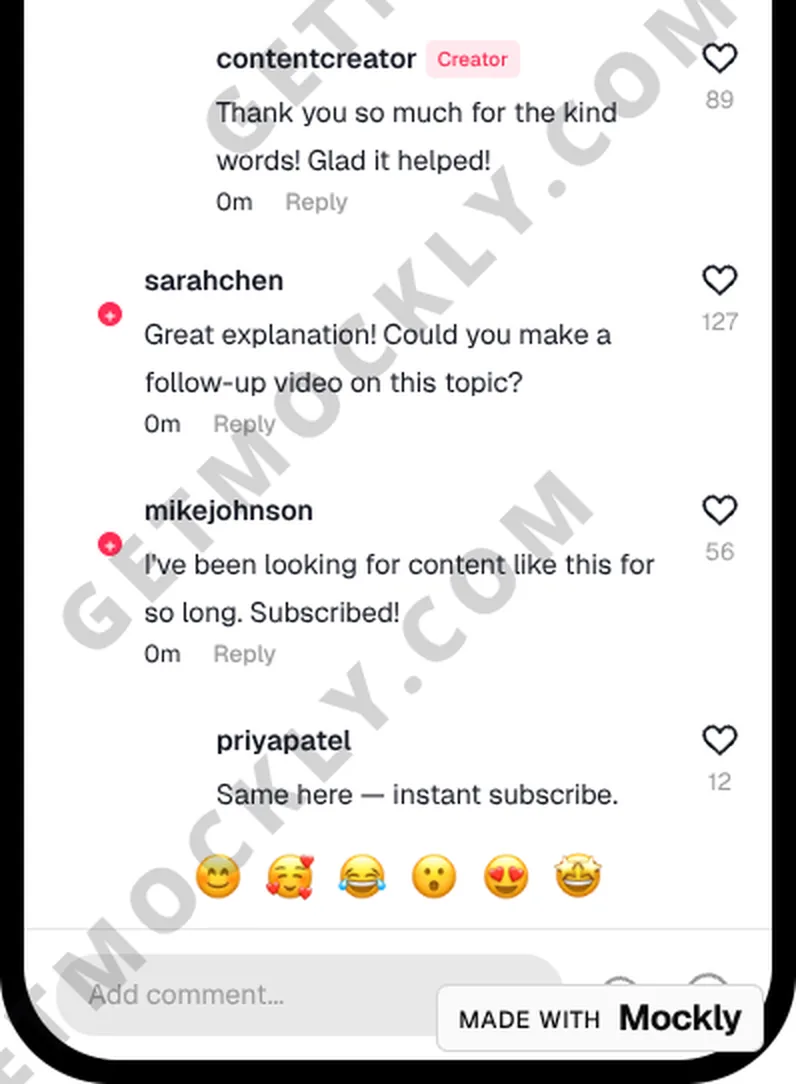
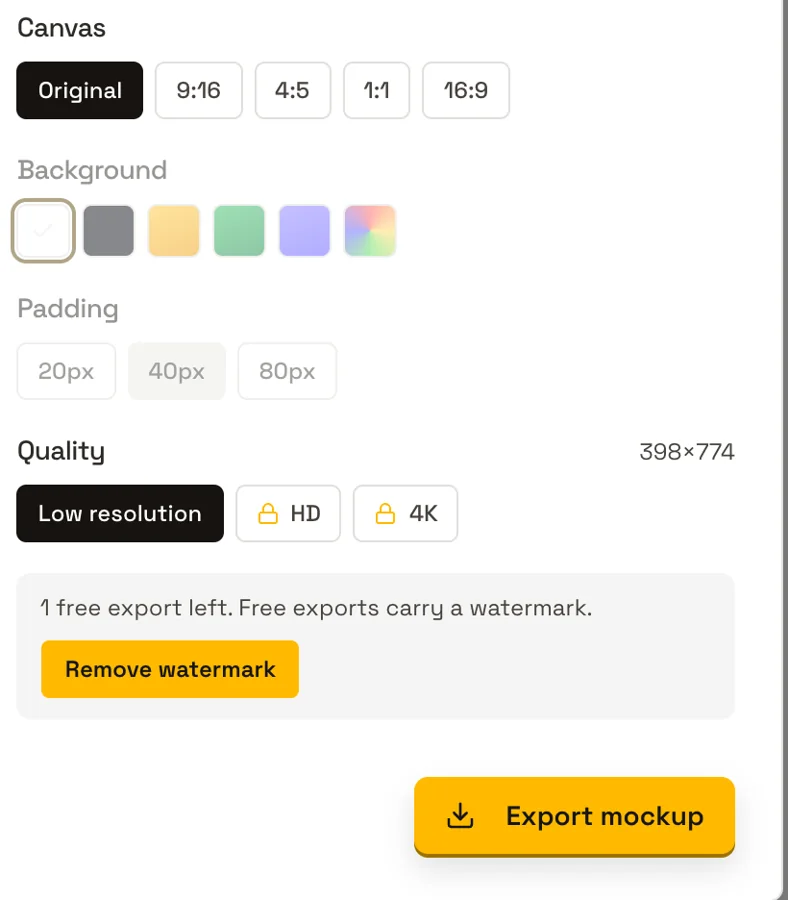
Ten of the eleven tools I tested gave me a clean, watermark-free PNG without an account. Mockly is the exception: its free export carries GETMOCKLY.COM across the image, and it counts how many free exports you have left.
For a reply sticker, TokComment and ViewPress gave the largest transparent files. For a comment section, Brainrot Shorts and TheFake. For a phone screenshot, GenComment, Pranksters and FakeComment. For a free video, FakeComment, with a small mark on the free version.
I build FakeComment, one of the tools in this test. I've tried to report it the same way as the others, including where it came out behind.
How I tested
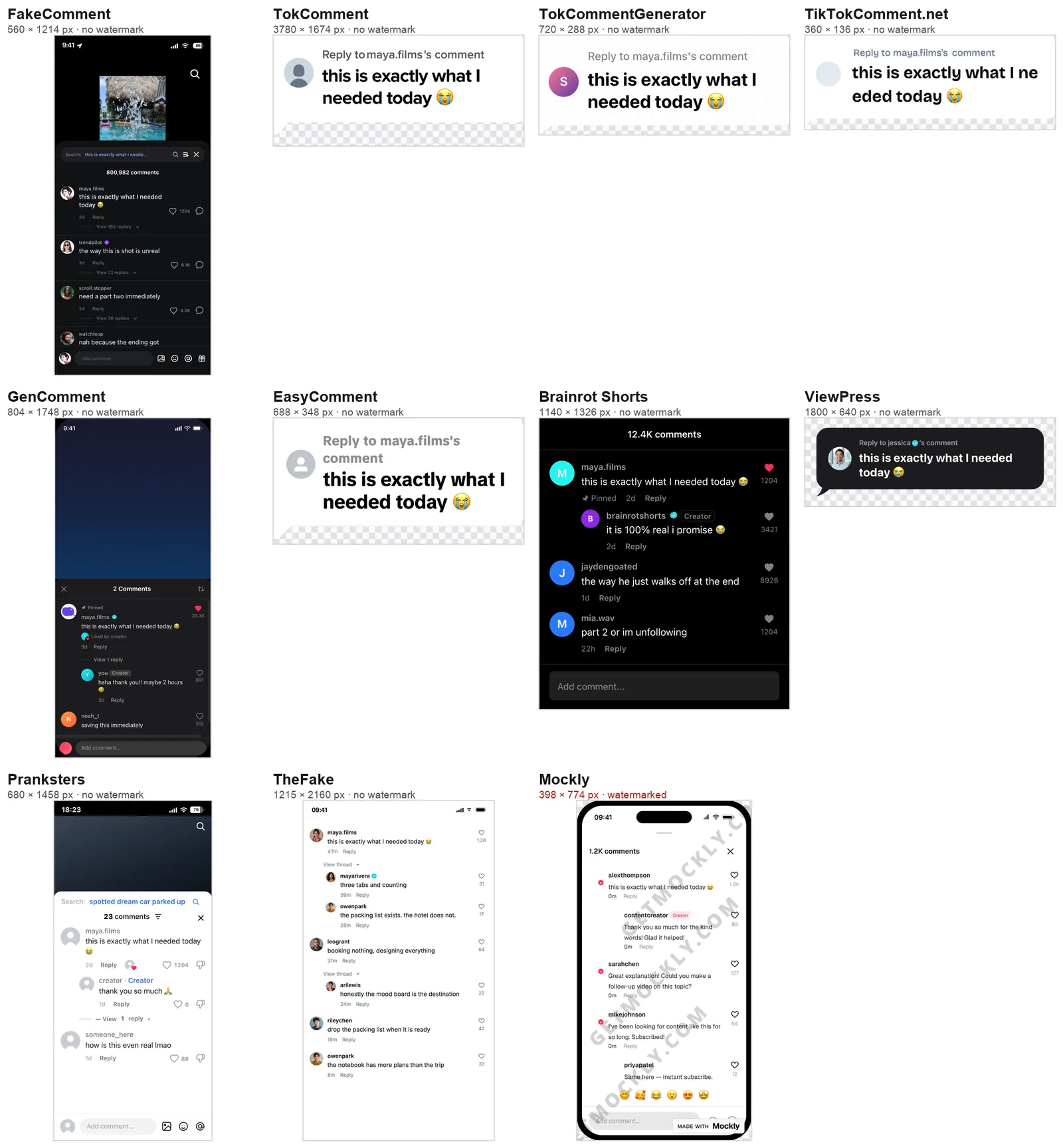
On October 2, 2026, in a signed-out Chrome window on a Mac, I opened each tool and made one comment: username maya.films, text "this is exactly what I needed today 😭", 1,204 likes where the tool had a likes field. Tools that open with a sample thread (Brainrot Shorts, TheFake, Mockly) got my comment as the first one, and their other sample comments stayed. I left every other setting at its default, clicked the main free download once, and did not sign up, enter an email or accept a trial anywhere. Then I opened each file and checked its pixel size, whether it has a transparent background, and whether any logo or brand text is on it.
Prices are as shown on each site on October 1–2, 2026. Tools change, so check the current page before you rely on a limit or a price.
Which free TikTok comment generators add a watermark?
| Tool | Account needed | Watermark on the free PNG | What the free PNG is | Video | Paid plan |
|---|---|---|---|---|---|
| TokComment | No (guests get TikTok only, with a daily export cap) | None | Transparent reply sticker, 3780 × 1674 | None seen | $2/mo on its pricing page; $4/mo or $20/yr in its upgrade panel |
| ViewPress | No | None | Transparent reply sticker, 1800 × 640 | None seen | None for this tool (ViewPress sells an AI video maker from $49/mo) |
| TheFake | No | None | Comment thread, 1215 × 2160 | Pro only | $4.99 for 7 days, $7.99/mo, $49 lifetime |
| Brainrot Shorts | No | None | Dark comment section, 1140 × 1326 | None seen | None for this tool (its video studio starts at $29/mo) |
| GenComment | No (5 standard exports a day signed out) | None | Full TikTok screen with the comments open, 804 × 1748 | None seen | Pro $7.99/mo |
| TokCommentGenerator | No | None | Transparent reply sticker, 720 × 288 | None seen | None |
| EasyComment | No | None | Transparent reply sticker, 688 × 348 | None seen | None for this tool (its plans are for social data exports) |
| Pranksters | No | None | Phone screen with the comment section, 680 × 1458 | None seen | None ("Premium isn't on sale yet") |
| FakeComment | No | None on images | Phone screen with the video and comments, 560 × 1214 | Free 3-second green-screen clip, small corner mark | Pro $6.99/mo, $29/yr, $99 once |
| Mockly | No (free exports are limited) | GETMOCKLY.COM across the image, plus a badge | Phone screen, 398 × 774 | Paid | $12.99 for 7 days, $69 for a year |
| TikTokComment.net | No | None | Transparent reply sticker, 360 × 136 | None seen | None |
Which ones make a transparent reply sticker?
The "reply to a comment" format on TikTok shows a single comment bubble over your answer video. Five tools export exactly that by default, as a PNG with a transparent background:
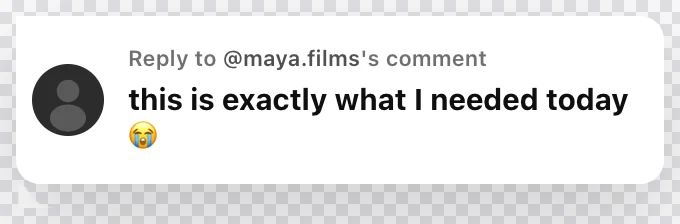
- TokComment: a white bubble with "Reply to maya.films's comment", 3780 × 1674, the biggest file in the test. The free tier is metered: guests get TikTok only, and a free account lists 5 TikTok exports a day.
- ViewPress: a dark bubble, 1800 × 640. Its "Reply to" line kept the sample name, jessica, after I filled in the username, so check that line before you export.
- TokCommentGenerator: a white bubble with a letter avatar, 720 × 288. It also has a comment-section mode with nested replies.
- EasyComment: a white bubble, 688 × 348, with a grey placeholder avatar. It has an AI reply writer. A promo pop-up appeared first; closing it took one click.
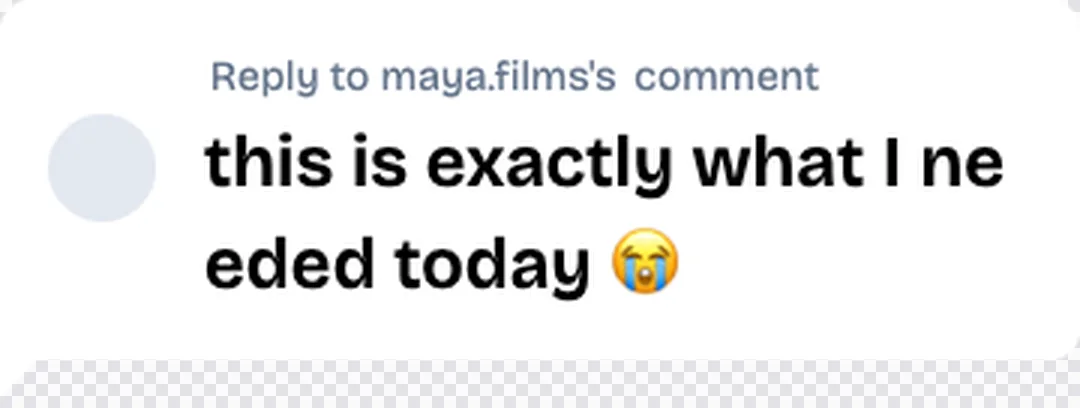
- TikTokComment.net: 360 × 136, the smallest file here, and it broke "needed" across two lines:
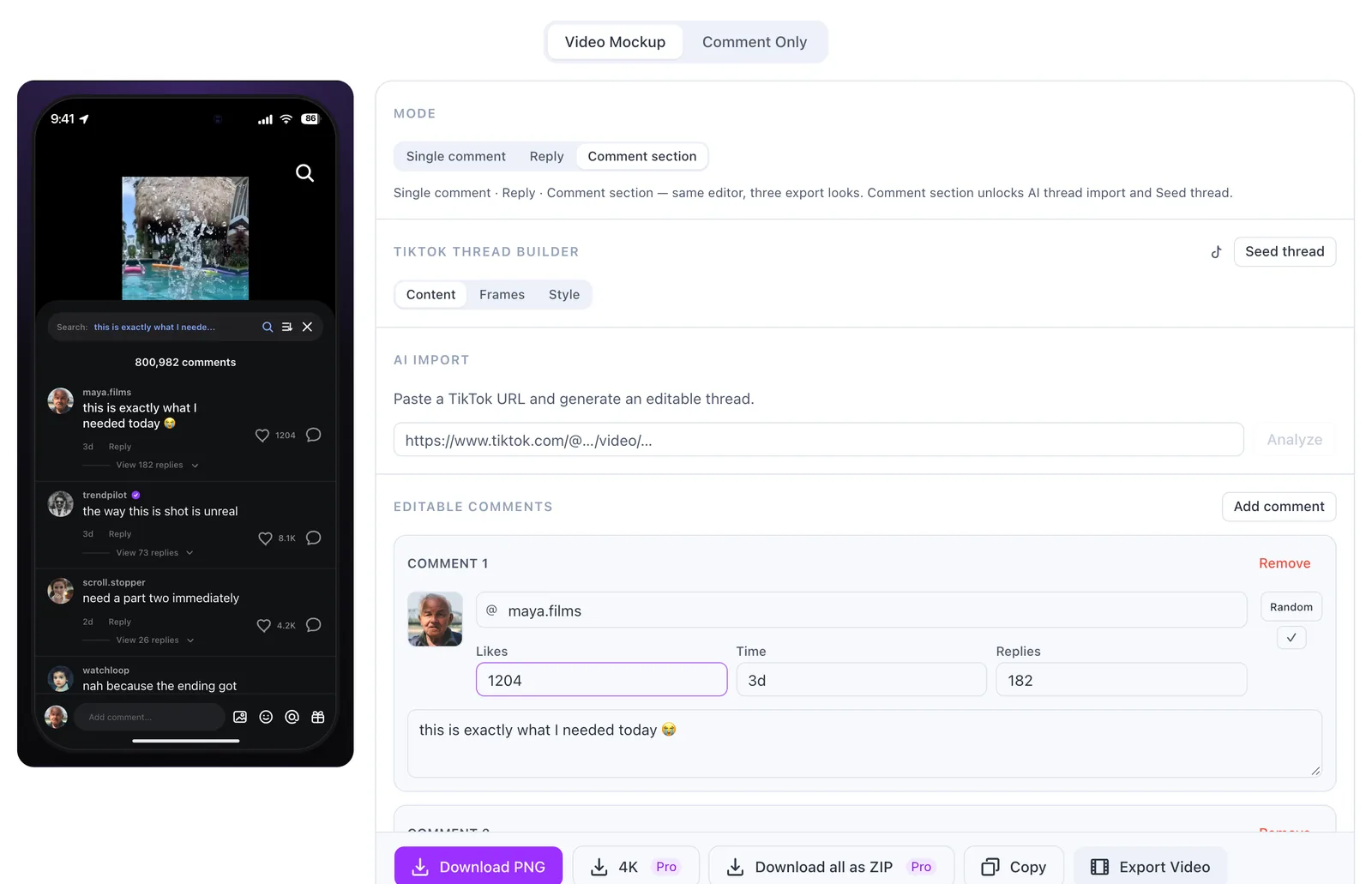
FakeComment's main generator downloads a phone screenshot by default, but its Reply mode (the TikTok comment reply generator opens in it) exports the bubble on its own with Comment Only:
Which ones make a comment section or a phone screenshot?
Comment section. Brainrot Shorts gives a dark TikTok comment sheet, 1140 × 1326, with a pinned label, a Creator tag and a red liked heart; its page says a transparent-background toggle is in the settings. TheFake gives the whole thread on white, 1215 × 2160, and shortens 1,204 likes to "1.2K". Editing in TheFake takes two steps: click Edit on a comment, then click the text you want to change.
Phone screenshot. GenComment's default download is a full dark TikTok screen with the comments open, 804 × 1748, with "Liked by creator" and a sample reply from "you". Upload an avatar first; the default profile picture is a placeholder graphic. Pranksters gives a phone screen with the comment sheet, 680 × 1458; you edit by clicking the text on the preview. FakeComment's default is a phone screen with the video at the top and the comments below, 560 × 1214. You can upload your own frame as the video, and paste a TikTok link to have AI draft a whole thread that fits it (with a daily cap).
How big is the free download?
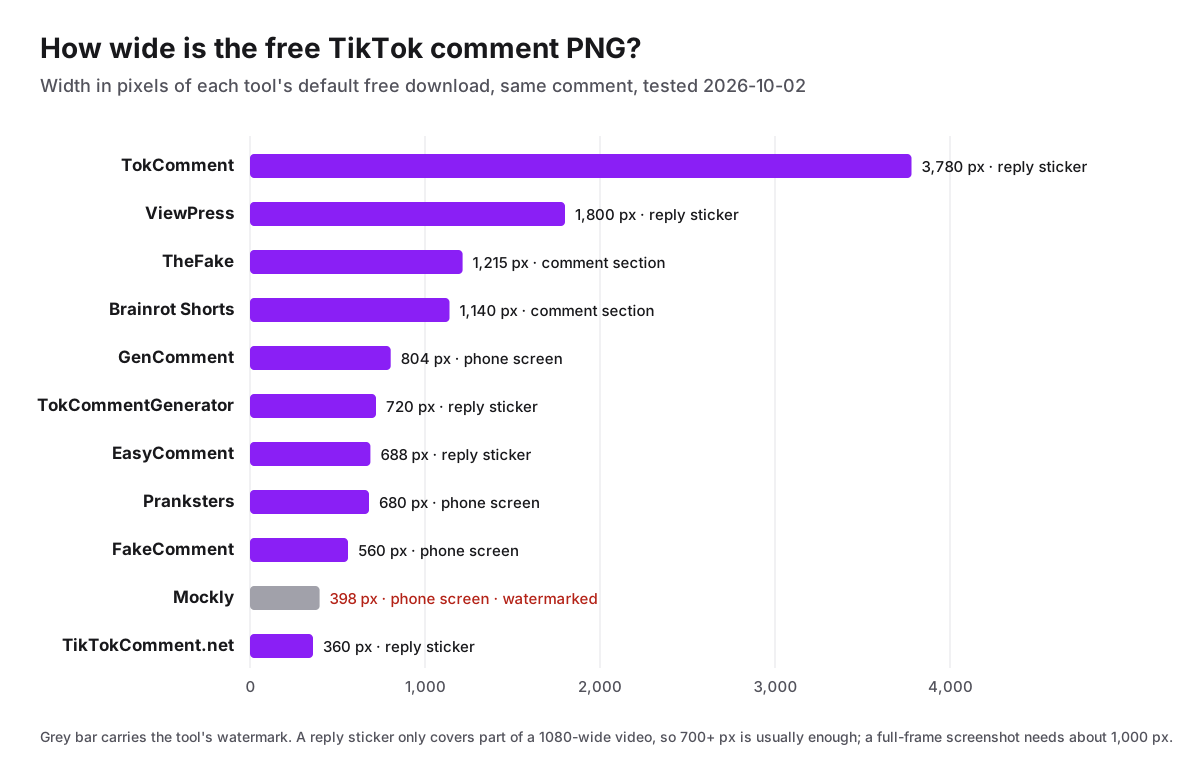
Size matters most when the image fills the frame. FakeComment's free phone screenshot is one of the smaller files here; it's sharp as a picture-in-picture or a slide image, but if you scale it to fill a 1080 × 1920 video it will soften. Its 4K export is part of Pro. TheFake and Brainrot Shorts give the most pixels for a full comment section, and TokComment by far the most for a sticker.
Can you make a fake TikTok comment video for free?
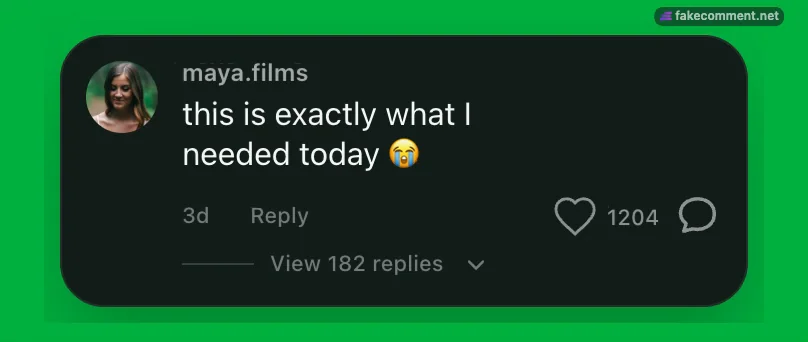
Only one of the eleven does it on the free tier. FakeComment exports a 3-second green-screen clip in which the comment pops in (the phone screen, or just the comment in Comment Only), ready for a chroma key in CapCut or Premiere, with a small fakecomment.net mark in the corner. The CapCut overlay tutorial shows how to key and place it.
TheFake (Pro) and Mockly (paid passes) keep video export for paying users. ViewPress and Brainrot Shorts mainly sell AI video makers, but their comment tools gave me a PNG only.
Which one should you pick?
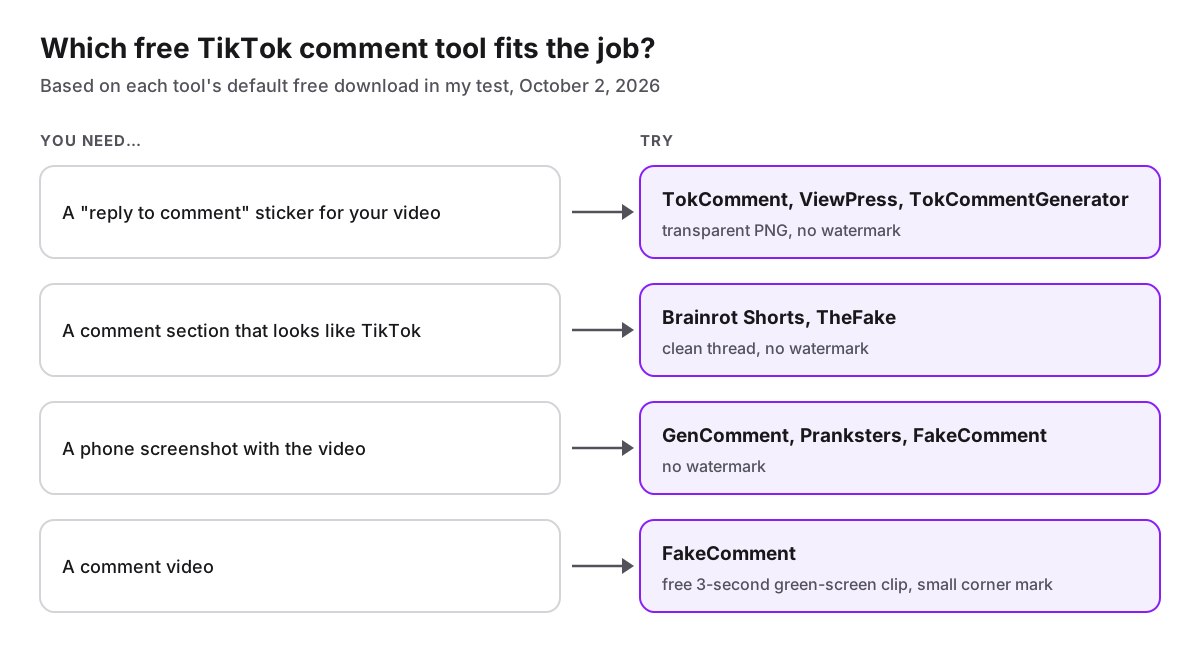
If you also need the comment text, FakeComment's AI comment writer writes comments in TikTok's voice from a topic (20 a day free), EasyComment writes AI replies in eight tones, and GenComment has a "Write with AI" button with a small free daily allowance. For the reply-video format itself, the reply-with-video guide walks through the whole edit.
Scope
I tested each tool once, signed out, with default settings, on October 2, 2026. Limits, prices and features change; the table reflects what I saw that day, and claims about plans come from each tool's own pages. "None seen" means I didn't find a video export in the tool or on its page, not that one can't exist. I build FakeComment, so read its rows with that in mind. All of these tools make mockups: use them for concepts, skits, parody and teaching, not to impersonate real people or to pass made-up comments off as real. None of them, FakeComment included, is affiliated with TikTok.
Frequently asked questions
Is there a free TikTok comment generator without a watermark?
Yes. In my October 2026 test, ten of the eleven tools gave me a clean free PNG: TokComment, TokCommentGenerator, TikTokComment.net, GenComment, EasyComment, Brainrot Shorts, ViewPress, Pranksters, TheFake and FakeComment. Mockly put GETMOCKLY.COM across its free image and a Made with Mockly badge in the corner.
Do I need an account to make a fake TikTok comment?
None of the eleven asked me to sign up before the TikTok download. Some count free exports: TokComment caps exports per day and keeps other platforms for signed-in users, GenComment allows 5 standard exports a day without an account, and Mockly's export panel said '1 free export left'.
Which tool makes a transparent 'reply to comment' sticker?
TokComment, ViewPress, TokCommentGenerator, EasyComment and TikTokComment.net export a transparent reply bubble by default. TokComment's was the largest at 3,780 px wide; TikTokComment.net's was the smallest at 360 px and split the word 'needed' across two lines. FakeComment's Reply mode exports one as well.
Can I make a fake TikTok comment video for free?
FakeComment exports a free 3-second green-screen clip of the comment popping in, with a small fakecomment.net mark in the corner. TheFake keeps video export for Pro, and Mockly for its paid passes. I didn't find a video export in the other eight.
Which free TikTok comment generator has the highest resolution?
TokComment's free reply sticker was 3,780 px wide, then ViewPress at 1,800 px. For a full comment section, TheFake gave 1,215 px and Brainrot Shorts 1,140 px. FakeComment's free phone screenshot was 560 px wide; its 4K export is part of Pro.
Is it okay to make fake TikTok comments?
For mockups, pitch decks, skits, parody and teaching, yes. Don't use them to impersonate real people, to fake reviews or testimonials, or to pass a made-up comment off as real.
Try the Related Tools
Related Guides
More how-tos on comment stickers, overlays, and mockups.
Free Fake Instagram Comment Generators, Tested: Watermarks, Signup and Export Size (2026)
I made the same Instagram comment in ten free generators and downloaded the free PNG from each. Which ones watermark it, which need an account, which give a transparent sticker, and how big each file is.
How to Make a Fake Live Chat for a YouTube or Twitch Video (Free)
Make a fake YouTube live chat or Twitch chat for a video: write the messages, export a scrolling chat video or a transparent overlay, and key it into iMovie, CapCut, Premiere, DaVinci Resolve or OBS. Tested step by step.
TokComment Alternatives: 5 Free TikTok Comment Generators Compared (2026)
An honest comparison of TokComment alternatives in 2026: FakeComment, Postfully, GetMockly, TheFake.design, and EasyComment — compared on comment threads, AI writing, export options, pricing, and platform coverage.